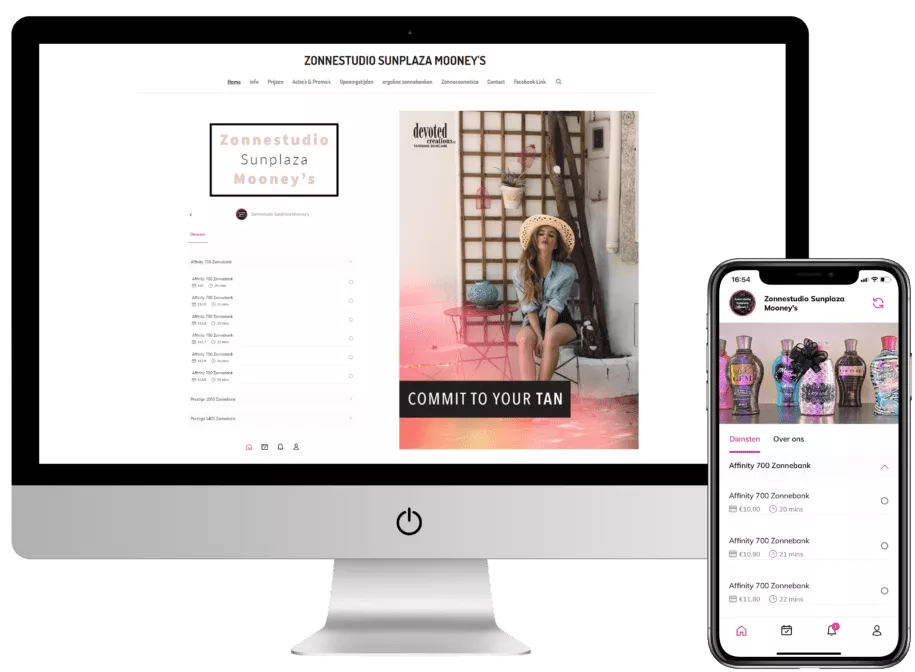
Online reservations and bookings directly through your own website
As a business or entrepreneur, choosing the right booking platform can be tough since every platform offers different features. Fortunately, AppyBee has the perfect solution, offering numerous options including a handy web widget. With the web widget …
Online reservations and bookings directly through your own website
As a business or entrepreneur, choosing the right booking platform can be tough since every platform offers different features. Fortunately, AppyBee has the perfect solution, offering numerous options including a handy web widget. With the web widget, we ensure that the booking platform integrates seamlessly with your website. There are various ways to set this up to your liking. In this blog, we tell you more about the possibilities of a web widget.
What is a web widget?
A web widget is a handy module that allows you to install various elements on your website. For AppyBee, this means a booking system. With our web widget, you make it easier for (potential) clients to order and book your products and services. Beyond convenience, it also looks professional, increasing your chances of getting bookings.
Which web widgets are available?
Within the web widget, there are multiple ways to integrate our booking platform into your website. These are:
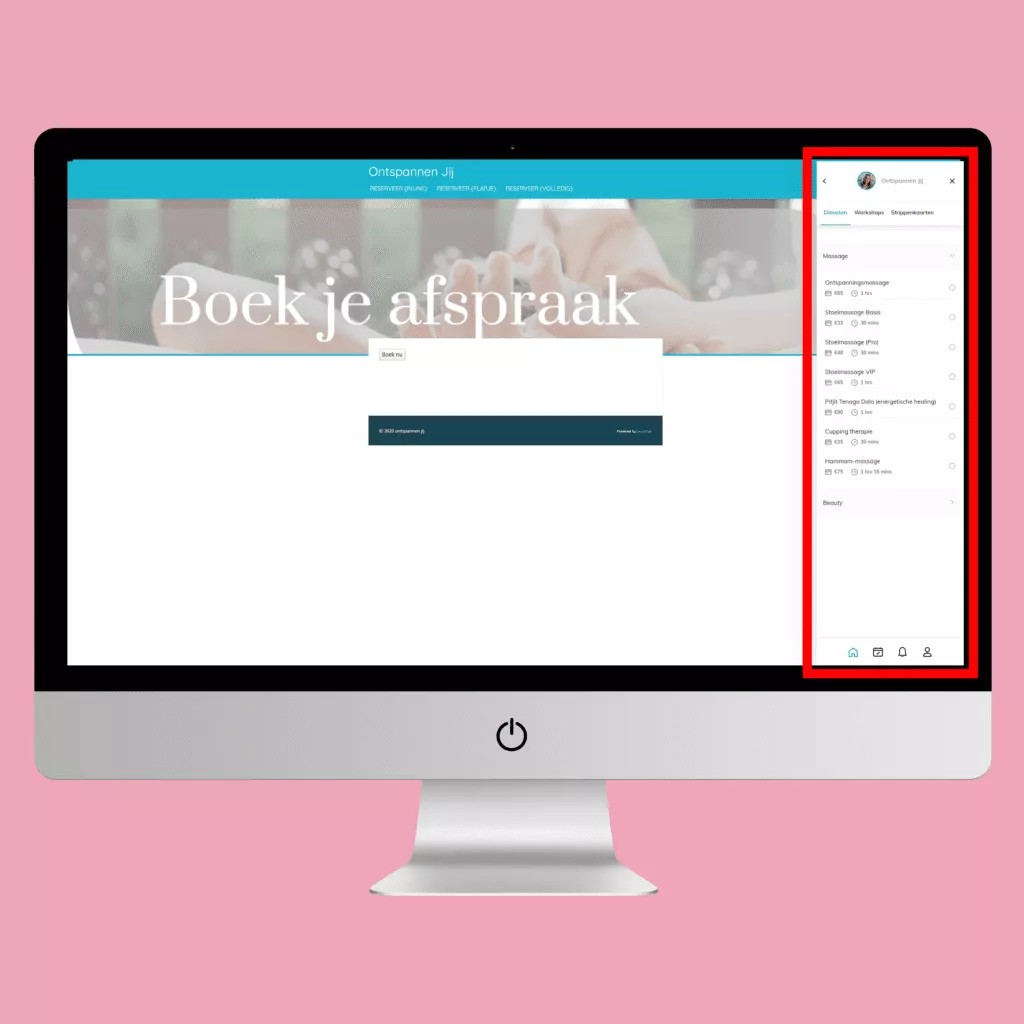
Side tab/pop-up
This version is a bar on the right side of the screen. When someone clicks the 'book' button, the pop-up slides in from the right. This keeps the client on your website and lets them purchase a product or service easily.
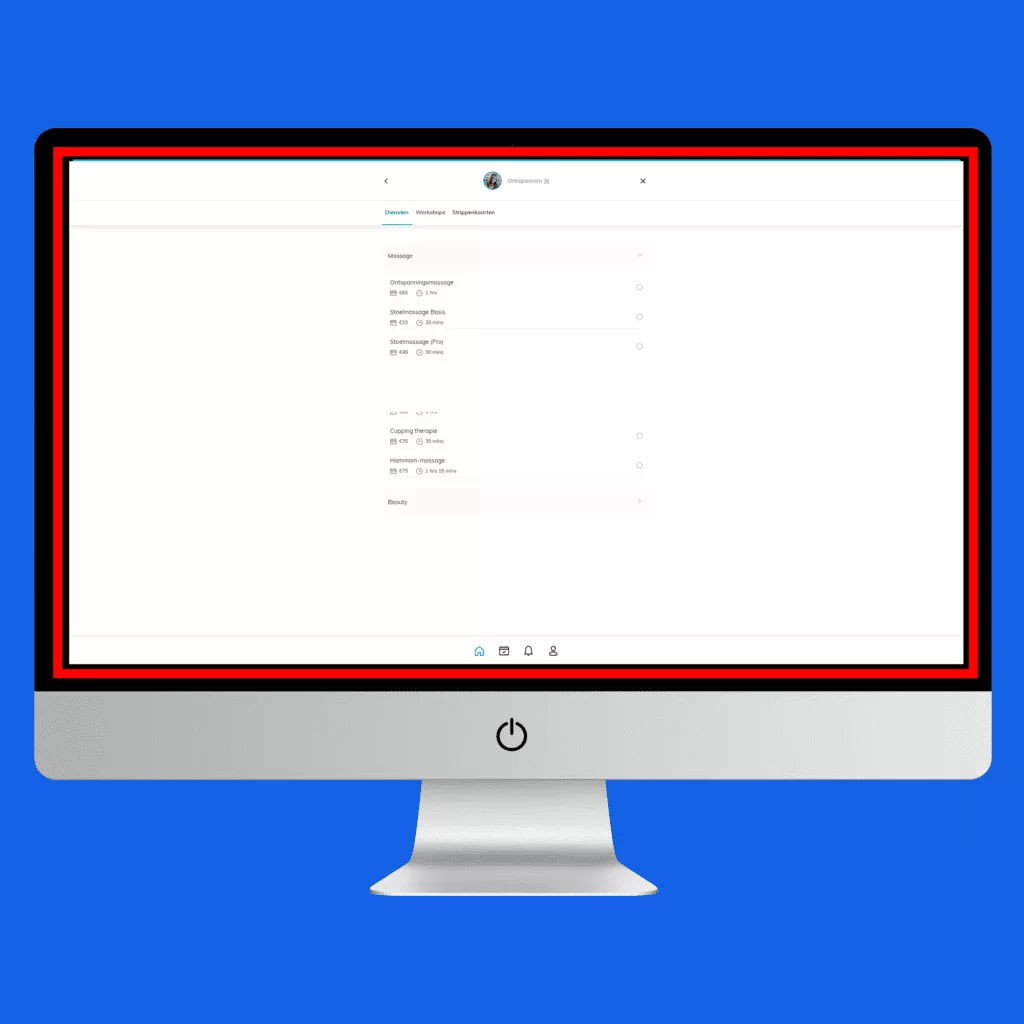
Full screen pop-up
The full screen pop-up opens a pop-up across the entire screen after clicking. An order can be placed directly from this screen without leaving the page.
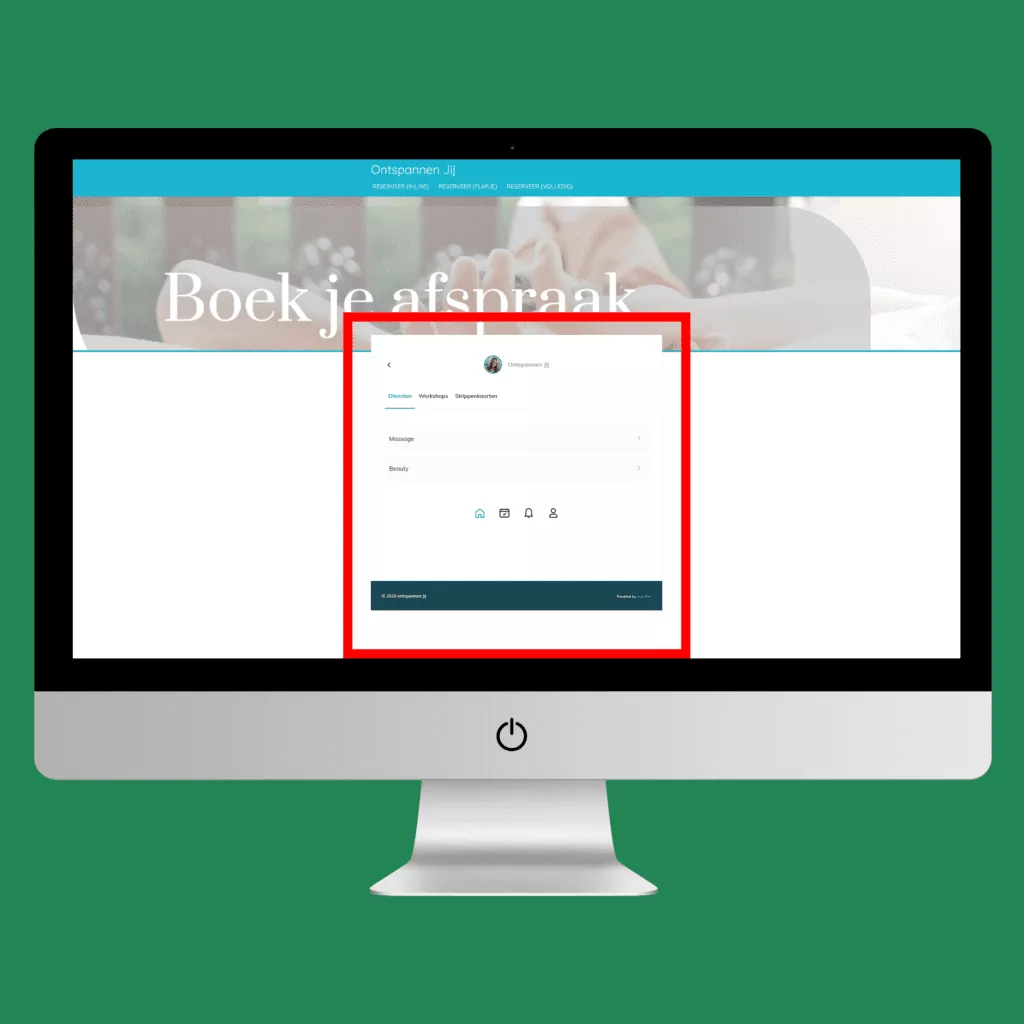
Inline
With the inline version, clients arrive directly on the screen where they can place an order. Here, the booking system is embedded into the page, so clients don't even need to click a 'book' button. This makes it even simpler and looks as if the booking system is part of the website.
Direct link
The 'book now' button directs your client to a separate page where they can manage their booking. This is a standalone element where the booking system isn't directly (or really at all) linked to the website. This version is often used when you don't have a website and/or placed behind the 'Book Now' button on Facebook or Instagram.
Custom web widget
Every business is different and has its own brand identity. At AppyBee, it's possible to fully customize the web widget to match your brand style. This ensures everything looks cohesive and seamlessly built into your website. Clients will feel like everything is handled directly through your site rather than a third-party booking platform. This enhances the client experience and provides a professional look. Still unsure about the options for our web widget? Contact us, and we'd love to tell you more about what's possible for your business.

Date
May 21, 2023
Do you like this article?
Why not share it: